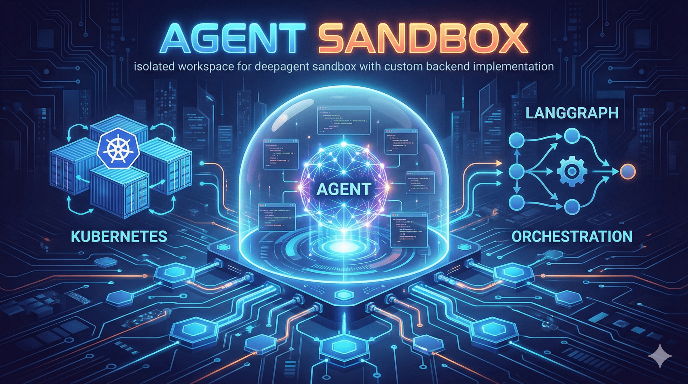
How we solved the multi-tenant code execution problem for autonomous AI agents
The Problem: Agents That Need to Execute Code
AI agents are becoming increasingly capable. They can write code, install packages, analyze data, and orchestrate complex workflows. But there’s a catch—they need to run that code somewhere.
When you’re building a platform where multiple users run autonomous agents, you quickly face a difficult question: How do you let agents execute arbitrary code without compromising your infrastructure?
Consider what can go wrong:
- An agent writes a buggy infinite loop that consumes all available CPU
- A prompt injection tricks the agent into running
rm -rf / - One user’s agent accidentally (or intentionally) accesses another user’s files
- An agent installs a malicious package that phones home with credentials
Traditional solutions each have limitations:
- Docker containers alone don’t isolate kernel syscalls—a container escape is still possible
- Virtual machines are heavyweight and slow to provision
- Process sandboxing is difficult to manage and lacks the features agents need
We needed something better.
The Solution: Kubernetes + gVisor + Dynamic Volume Isolation
We built an open-source solution that combines three layers of isolation:
- Kubernetes orchestration for resource management and scaling
- gVisor (optional) for kernel-level syscall interception
- EFS subPaths for per-workspace filesystem isolation
The result is a system where each agent runs in its own isolated pod, with its own filesystem slice, completely separated from other users—while still being fast to provision and cost-effective to run.
GitHub Repository: agent-sandbox-langgraph-deepagent
Architecture at a Glance
LangGraph Agent
       ↓
   Backend API (creates Sandbox CRD)
       ↓
   Kubernetes Controller (provisions pod)
       ↓
   Sandbox Pod (gVisor runtime)
       ├── /workspace → User's code files
       ├── /skills    → Reusable agent scripts
       └── /memory    → Checkpoints & embeddings
       ↑
   Sandbox Router (header-based routing)
       ↑
   Agent requests via X-Sandbox-ID header
The key insight: route all sandbox traffic through a single router that uses headers to multiplex requests to the correct pod. This avoids DNS/service proliferation and scales to hundreds of concurrent sandboxes.
Why We Create Sandbox CRDs Directly
The kubernetes-sigs/agent-sandbox project offers several patterns—SandboxClaim, WarmPool, and direct Sandbox creation. We chose direct creation for a specific reason: dynamic volume mounting.
In a multi-tenant setup, each workspace needs its own EFS subPath:
/org/{org_id}/workspace/{workspace_id}/code
/org/{org_id}/workspace/{workspace_id}/skills
/org/{org_id}/workspace/{workspace_id}/memory
WarmPool pre-provisions sandboxes with fixed volumes. SandboxClaim doesn’t support per-claim volume configuration. Only direct Sandbox creation lets us dynamically configure the volume mounts at creation time.
# Each sandbox gets workspace-specific mounts
efs_base_path = f"org/{org_id}/workspace/{workspace_id}"

volume_mounts = [
    {"mountPath": "/workspace", "subPath": f"{efs_base_path}/code"},
    {"mountPath": "/skills", "subPath": f"{efs_base_path}/skills"},
    {"mountPath": "/memory", "subPath": f"{efs_base_path}/memory"},
]
This means Organization A can never see Organization B’s files—the isolation is enforced at the Kubernetes level.
The Router: Header-Based Request Multiplexing
Instead of creating a Service per sandbox (which doesn’t scale), we built a custom router that inspects the X-Sandbox-ID header and forwards requests to the corresponding pod’s internal DNS.
sandbox_id = headers.get("X-Sandbox-ID")
target_host = f"{sandbox_id}.agent-sandbox.svc.cluster.local"
# Forward request to target
This approach:
- Keeps infrastructure simple (one ingress, one router service)
- Supports WebSocket connections for interactive terminals
- Handles query strings and streaming responses correctly
The router is a patched version of the upstream implementation with WebSocket support and a query string preservation fix we contributed back.
LangGraph Integration
The sandbox implements the SandboxBackendProtocol from the DeepAgents framework, making it plug-and-play with LangGraph:
class UserSandbox(SandboxBackendProtocol):
    def execute(self, command: str) -> ExecuteResponse:
        # Routed to isolated K8s pod

    def write(self, path: str, content: str) -> WriteResult:
        # Persisted to EFS

    def read(self, path: str) -> FileDownloadResponse:
        # Retrieved from EFS or pod
We use a composite backend pattern: file operations hit EFS directly (fast, already isolated), while command execution goes through the sandbox router to the secure pod.
# Creating a sandboxed agent
agent = create_sandbox_agent(
    org_id="acme-corp",
    workspace_id="project-alpha",
    user_id="alice"
)
The agent can then execute code, install packages, and manipulate files—all within its isolated sandbox.
Cost Optimization: Pause and Resume
Running idle pods is expensive. Instead of deleting sandboxes (losing cached images and pod state), we implemented pause/resume:
# Scale pod replicas to 0 (pause)
POST /api/v1/sandboxes/{id}/pause

# Scale back to 1 (resume)
POST /api/v1/sandboxes/{id}/resume
EFS data persists across pauses. The container image stays in the node cache. Result: fast resumption without the cold-start penalty of creating a new sandbox.
Combined with auto-shutdown timers, this keeps costs under control:
# Sandbox auto-terminates after 1 hour of inactivity
shutdown_after_seconds=3600

# Agent can extend if still working
POST /api/v1/sandboxes/{id}/extend
{"additional_seconds": 3600}
Security Layers
Defense in depth with four isolation layers:
1. Network Policies Sandboxes can only receive traffic from the router—no direct internet ingress.
2. gVisor Runtime (Optional) A user-space kernel that intercepts syscalls. Even if an attacker escapes the container, they hit gVisor’s syscall validation, not the real kernel.
3. Resource Quotas Each sandbox has CPU and memory limits. Fork bombs and infinite loops can’t bring down the cluster.
4. Filesystem Isolation EFS subPaths are enforced at the Kubernetes level. One workspace physically cannot access another’s files.
Getting Started
The project includes everything you need:
# Install the upstream controller
kubectl apply -f https://github.com/kubernetes-sigs/agent-sandbox/releases/download/v0.1.0/manifest.yaml

# Deploy the sandbox infrastructure
kubectl apply -f k8s/00-namespace.yaml
kubectl apply -f k8s/01-storage.yaml
kubectl apply -f k8s/02-sandbox-router.yaml
kubectl apply -f k8s/03-backend.yaml

# Optional: Enable gVisor isolation
kubectl apply -f k8s/optional/gvisor-runtime.yaml
The backend exposes a REST API for sandbox lifecycle management:
| Endpoint | Purpose |
|---|---|
POST /api/v1/sandboxes | Create sandbox |
GET /api/v1/sandboxes/{id} | Check status |
POST /api/v1/sandboxes/{id}/pause | Pause (scale to 0) |
POST /api/v1/sandboxes/{id}/resume | Resume |
DELETE /api/v1/sandboxes/{id} | Terminate |
Lessons Learned
Direct CRD creation beats templates when you need dynamic per-instance configuration. The abstraction of SandboxClaim/WarmPool is nice, but real-world multi-tenant requirements often break it.
Header-based routing scales better than per-sandbox Services. Kubernetes has soft limits around 5,000 Services per cluster. Header routing avoids that entirely.
Composite backends simplify integration. Not everything needs to go through the secure pod. File operations can be faster when you bypass the network hop.
Pause/resume is better than delete/recreate for developer experience. The 10-second resume time is much better than the 30-60 second cold start.
What’s Next
We’re actively developing:
- Per-tenant resource quotas at the Kubernetes level
- Tenant configuration system for custom resource limits and API keys
- VS Code Server integration for interactive development within sandboxes
Check out the repository and give it a star if you find it useful:
github.com/ashokpokharel977/agent-sandbox-langgraph-deepagent
Building AI agents that need to execute code safely? We’d love to hear about your use case. Open an issue or start a discussion on GitHub.